
What Is Browser Fingerprinting? Why Clearing Cookies Isn't Enough

Picture a barista who never writes down your name. They still know you. Same time every morning, same jacket, same order, same way of tapping your card. You could change your name and they'd still recognize you.
That's browser fingerprinting. Websites don't need a cookie to recognize your device. They can read dozens of small details your browser hands over on every visit, put them together and get something close to a unique ID.
This guide explains what browser fingerprinting is, what goes into your fingerprint, how unique it really is, and what you can do about it.
What Is Browser Fingerprinting?
Browser fingerprinting is a way of identifying a device by combining the technical details it shares with websites. No single detail identifies you. Millions of people have the same screen size or the same time zone. But put 20 or 30 of those details together, and the combination can be rare enough to pick out one device from a crowd.
The key difference from cookies is where the information lives. A cookie is a file stored on your device, so you can see it and delete it. A fingerprint is worked out fresh every time you load a page, from information your browser shares anyway. There's nothing on your device to clear.
What's in Your Browser Fingerprint?
Every time you open a page, your browser tells the site a lot about itself so the page can display properly. A fingerprinting script reads that information and adds more by quietly testing what your device can do. Common ingredients include:
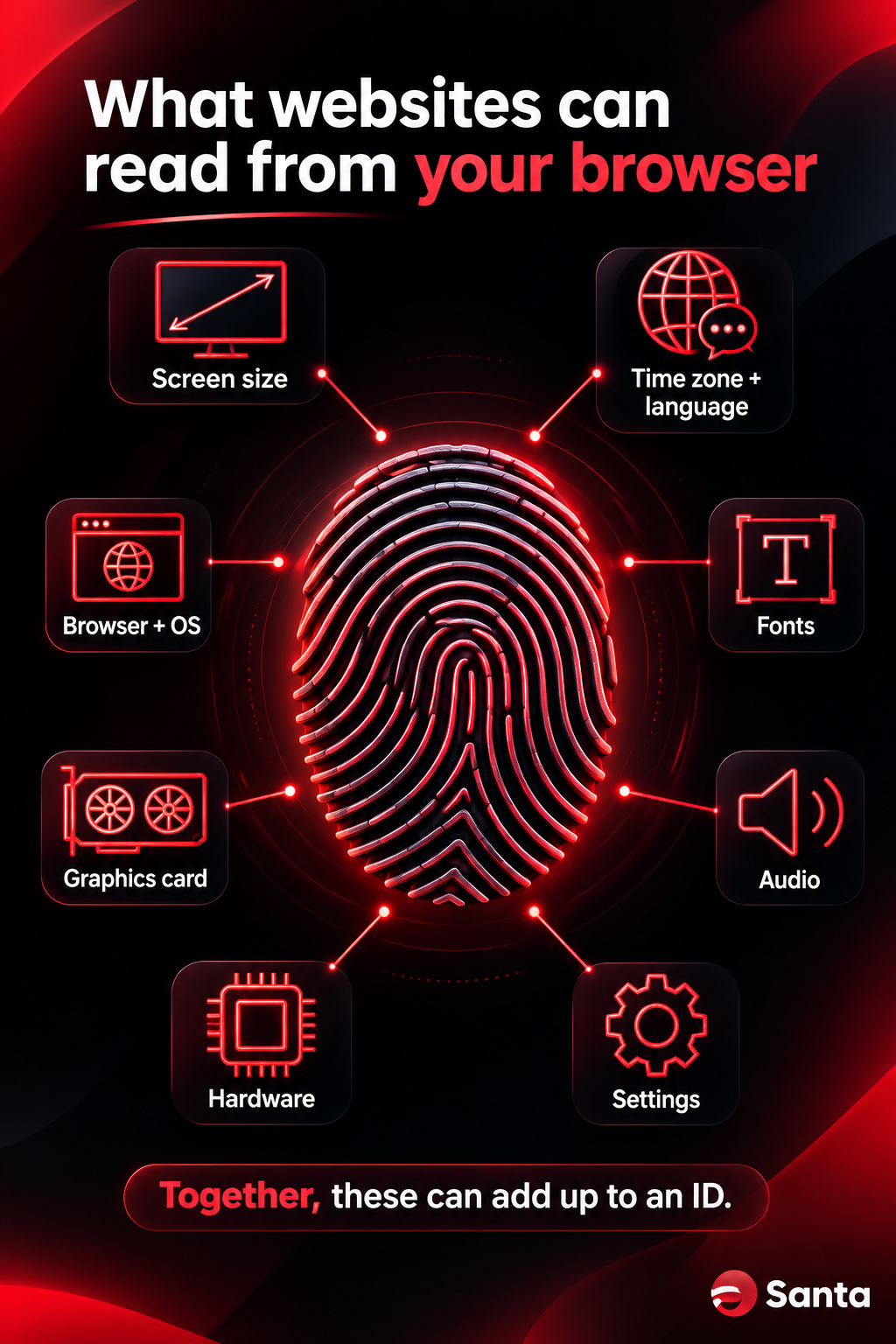
- Screen: resolution, color depth and the size of your browser window
- Time zone and language: for example, UTC+5:30 and English (India)
- Browser and operating system: names and version numbers
- Fonts: which fonts are installed on your device
- Graphics: your graphics card and how it draws shapes and images
- Audio: tiny differences in how your device processes sound
- Hardware: number of processor cores, amount of memory and touchscreen support
- Settings: whether cookies are enabled, which features are switched on, and some browser extensions
Canvas fingerprinting
One of the best-known techniques is canvas fingerprinting. A script asks your browser to draw a hidden image, often a line of text with some shapes. Your graphics card, drivers, fonts and operating system all affect the exact pixels it produces. The site turns that image into a short code, and that code is surprisingly consistent for your device and surprisingly different from other people's.
This isn't new. A 2014 study by researchers from KU Leuven and Princeton found canvas fingerprinting scripts on 5,542 of the top 100,000 websites, about 5.5%. Most of them came from a single provider.
How Unique Is Your Browser Fingerprint, Really?
It depends on who you ask and which group you compare against, which is why the research is worth reading closely.
- 83.6% unique (2010). The EFF's Panopticlick study looked at 470,161 browsers. 83.6% had a fingerprint no other browser in the sample shared.
- 89.4% unique (2016). The AmIUnique study collected 118,934 fingerprints. 89.4% were unique, including 81% of fingerprints from mobile devices.
- 33.6% unique (2018). A study of about 2 million fingerprints from one of France's top 15 websites found that only about a third were unique, and just 18.5% on mobile.
Why the big gap? People who visit privacy-test websites tend to have unusual setups, and that pushes uniqueness up. A general audience looks more alike, and phones of the same model are close to identical.
But "not unique" doesn't mean "safe." A fingerprint that matches only a handful of other devices is still useful when it's combined with your IP address, the time you visit and how you move around a site. Fingerprinting rarely works alone.
Why Clearing Cookies Isn't Enough
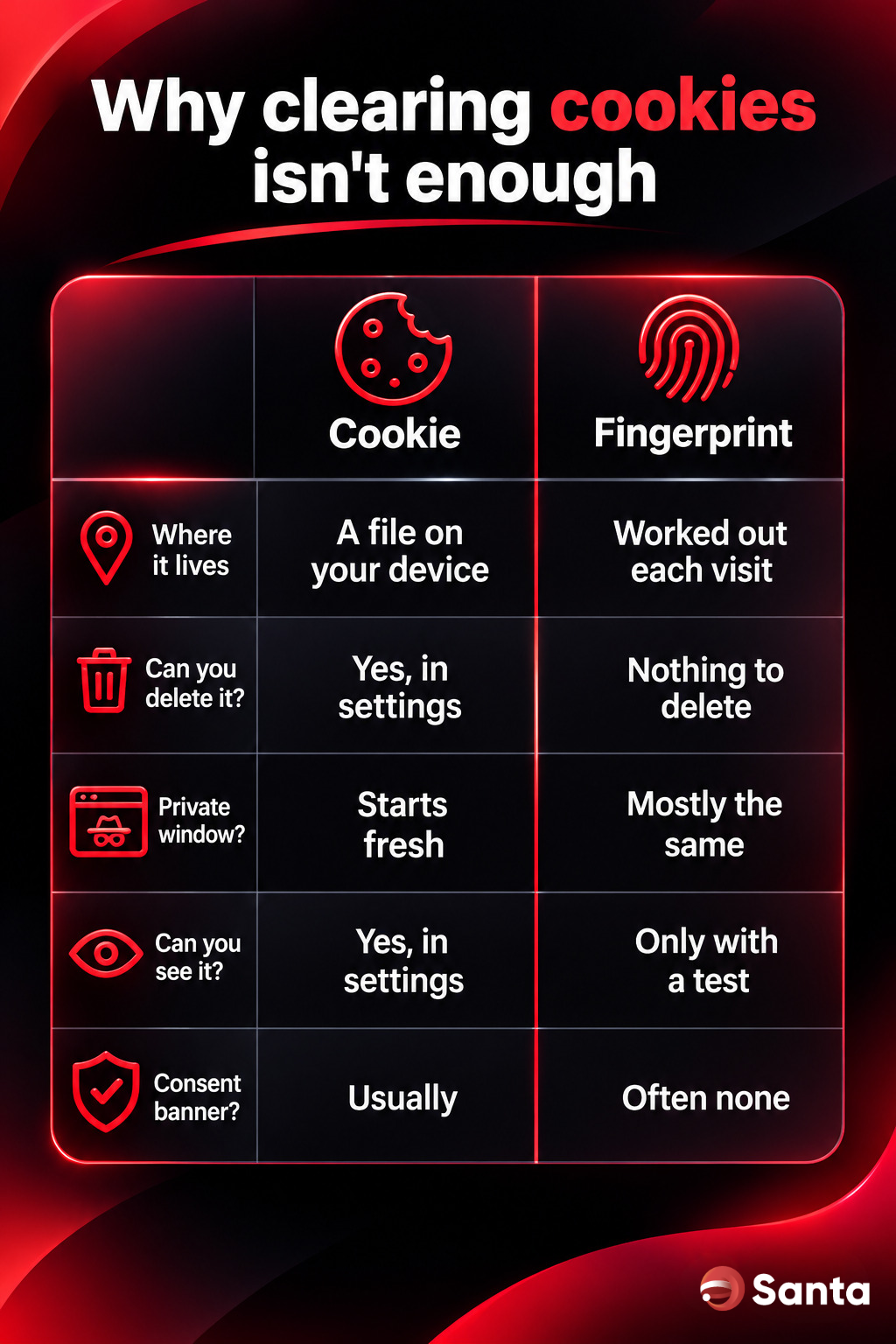
Clearing your cookies is still good practice. It just doesn't touch your fingerprint. Here's how the two compare:
- Where it lives: a cookie is a file on your device. A fingerprint is calculated each time from what your browser shares.
- Can you delete it? You can delete a cookie in seconds. There's nothing to delete with a fingerprint.
- Does a private window help? A private window starts with no cookies and throws them away when you close it. Your fingerprint stays largely the same in a private window, because it's the same device and the same browser.
- Can you see it? Your browser lists your cookies. A fingerprint stays hidden unless you run a test.
- Is there a consent banner? Cookie banners are everywhere. Fingerprinting often happens with no visible sign at all.
So if you clear your cookies, the site loses its note about you. But it can still recognize the handwriting.
Is Browser Fingerprinting Always Bad?
No, and it's worth being fair here. Banks and payment companies use device fingerprints to spot fraud. If someone logs in to your account from a device that looks nothing like yours, that's a warning sign. US banking regulators have described this exact technique in their guidance on preventing account takeovers. The W3C, the body that sets web standards, also notes that fingerprinting can be used as a security measure.
The problem starts when fingerprinting is used to recognize you across many sites, without you knowing and without a way to say no. Regulators in Europe treat it that way. The EU's data protection board says fingerprinting falls under the same ePrivacy rule as cookies, which generally means sites need your consent. The UK's data protection regulator, the ICO, says the rules cover "other technologies, like device fingerprinting," as well as cookies.
How to Reduce Your Browser Fingerprint
You can't remove your fingerprint completely. Every browser has to share some information to display a page. But you can make it a lot less useful.
1. Use a browser with fingerprint protection built in
Browsers protect you in one of two ways:
- Blend in. Tor Browser gives users a small set of standard settings and rounds window sizes to fixed steps, called letterboxing, so lots of people look alike.
- Randomize. Several privacy-focused browsers slightly change the values a site reads, so your fingerprint doesn't stay the same from one site, or one session, to the next.
2. Don't over-customize
This is the counterintuitive part. Every rare font, unusual setting and niche extension makes your browser stand out more. A browser with dozens of tweaks can be easier to recognize than a plain one. Install what you need and remove the rest.
3. Keep your browser updated
Running an old version makes you part of a smaller, easier-to-spot group. Updates also fix security holes, which matters more than anything on this list.
4. Keep clearing cookies and using private windows
They don't fix fingerprinting, but they still stop the simpler ways sites remember you. Use them together with fingerprint protection, not instead of it.
5. Use a VPN on public Wi-Fi, for a different job
A VPN and fingerprint protection solve different problems. A VPN helps keep your connection private, for example on airport or hotel Wi-Fi. It doesn't change what your browser itself shares with websites. For the best protection, you want both.
How to Check Your Browser Fingerprint
Two free tools show you what websites can see:
- Cover Your Tracks by the EFF (coveryourtracks.eff.org) tells you whether your browser has a unique fingerprint or a randomized one.
- AmIUnique (amiunique.org) shows each detail in your fingerprint and how rare it is.
Try this: run the same test in two different browsers on the same device, then run it again tomorrow. If your result changes between visits, your browser is randomizing. If it's identical every time, sites can probably recognize you every time too.
Frequently Asked Questions
Is browser fingerprinting legal?
It depends on where you live and what it's used for. In the EU and UK, regulators treat fingerprinting like cookies, so sites generally need consent unless it's strictly necessary, such as for fraud prevention. Rules elsewhere vary. This isn't legal advice.
Does Incognito mode stop browser fingerprinting?
No. Incognito and other private modes stop your browser from saving cookies and history after you close the window. Your screen, fonts, graphics card and other details stay the same, so your fingerprint stays largely the same too.
Can a VPN stop browser fingerprinting?
Not on its own. A VPN works on your connection, while fingerprinting reads details from your browser and device. A VPN and fingerprint protection do different jobs, and they work best together.
Do phones have browser fingerprints?
Yes. Phones of the same model look more alike, which helps. In the 2018 French study, only 18.5% of mobile fingerprints were unique, compared with 81% in the 2016 AmIUnique study. But your phone still shares plenty of details, so the same steps apply.
Can I block browser fingerprinting completely?
No browser can promise that, and you should be wary of any that does. The realistic goal is to make your fingerprint less unique or less stable, so it's much harder to use.
The Bottom Line
Cookies are the part of online privacy you can see. Fingerprinting is the part you can't. Clearing cookies is still worth doing, but your device can be recognized without them, which makes your choice of browser more important than any single setting.
Santa Browser is free, private and secure, built on Chromium and available on Windows, Mac, iPhone and Android. A built-in VPN that helps keep your connection private on public Wi-Fi, and a built-in AI, are both coming soon.